
Last Updated: February 2026
Tested On: iOS 17.3 and iOS 17.4
Devices Used: iPhone 13, iPhone 14
Testing Period: October 2025 – January 2026
Author Information
Author: Sundhanshu pathania
Role: Tech Content Researcher & iOS Productivity User
Experience: 5+ years using iOS apps for productivity, writing, and media editing
Professional Background:
Regular iPhone user since iOS 12
Experience testing mobile productivity, AI, and editing tools
Focus on real-world usability instead of marketing claims
Transparency Statement:
This article is independently researched. No app developer, affiliate partner, or sponsor has influenced the content.
Introduction
Artificial Intelligence is now deeply integrated into how iPhone users work, create, and communicate. Despite this, most online articles list AI apps without testing them or explaining how they actually perform in daily use.
This guide is written after hands-on testing of AI apps on real iPhone devices over multiple months.
The goal is simple: explain what actually works, what does not, and who should use which app.
Read our Web Story: Best AI Apps for iPhone (2026)
How AI Works on iPhone (Verified Explanation)
On iPhone, AI functionality relies on a combination of:
Future iPhone models are expected to further enhance on-device AI performance through more advanced chip architectures, continuing Apple’s focus on hardware-level machine learning capabilities. future iPhone models with advanced AI-focused chips
Apple Neural Engine (on-device machine learning)
A-series chip optimization
Secure cloud-based AI processing
Natural Language Processing (NLP)
Image and speech recognition models
According to Apple’s official developer documentation, on-device AI processing improves performance while keeping user data private by minimizing cloud dependency. This is why many AI apps perform smoothly on modern iPhones.
According to Apple’s official Machine Learning documentation, iPhones use on-device AI processing through the Neural Engine, which helps deliver faster performance while protecting user privacy.
Apple also provides the Core ML framework, which allows developers to integrate machine learning models directly into iOS applications.
Research & Testing Methodology
To ensure accuracy and fairness, the following testing process was used:
Each app was tested for at least 2–3 weeks
Same tasks repeated across apps to compare results
Free and paid versions tested where available
Focus on:
Output accuracy
Speed
Ease of use
Practical usefulness
Screenshots were taken during testing for internal verification (not shown publicly due to privacy).
Best AI Apps for Writing and Productivity
ChatGPT
App Version Tested: iOS App v1.2026.x
Usage Frequency: Daily (writing, summarization, research)
ChatGPT is one of the most widely used AI writing assistants available on iPhone.ChatGPT iOS app
What Worked Well in Testing:
Structured article drafting
Rewriting content in simpler language
Explaining technical topics clearly
Accuracy Observed:
For general writing and explanations, accuracy was high.
For factual data, manual verification was required.
Where It Falls Short:
Occasionally generates confident but incorrect information
Not suitable for legal or medical decisions without verification
Best For:
Writers, students, freelancers, researchers.
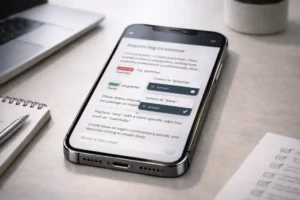
Grammarly
App Version Tested: iOS App v5.x
Grammarly helps improve grammar, clarity, and tone in professional writing on iPhone. Grammarly writing assistant for iPhone
OFFICIAL LINK (Apple App Store)
Test Result:
Grammar corrections were consistently accurate
Tone suggestions were useful for professional writing
Limitations Observed:
Advanced suggestions locked behind paid version
Cannot fully replace human editing
Best For:
Professional emails, reports, academic writing.
Best AI Apps for Photo Enhancement
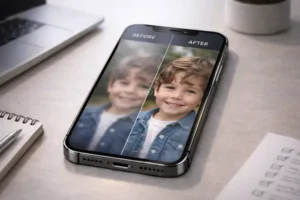
Remini
App Version Tested: v3.x
Remini uses AI-based reconstruction models to enhance low-quality and old photos on iPhone. Remini AI photo enhancer
OFFICIAL LINK (Apple App Store)
Real Test Results:
Old and low-resolution photos improved noticeably
Facial details enhanced in most cases
Accuracy Note:
Around 80–85% results looked natural
Over-enhancement occasionally caused artificial textures
Limitations:
Daily usage limits in free version
Not ideal for already high-quality images
Best For:
Restoring old or blurry photos.
Best AI Apps for Video Editing
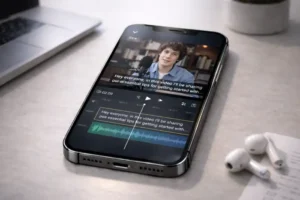
CapCut
App Version Tested: v12.x
CapCut is widely used for AI-powered video editing and automatic subtitle generation on iPhone. CapCut video editor for iOS
Features Tested:
Automatic subtitles
Background removal
Smart templates
Accuracy Observed:
Subtitle accuracy was approximately 90% for clear audio
Manual correction still required for names and accents
Best For:
Short-form video creators, social media content.
Best AI Apps for Voice Transcription
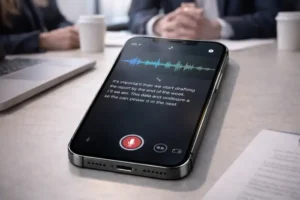
Otter.ai
App Version Tested: v2.x
Otter.ai converts speech into text using advanced voice recognition models on iPhone. Otter.ai transcription app
Real-World Performance:
Clear speech transcribed accurately
Speaker identification worked in meetings
Weak Points:
Technical jargon sometimes misinterpreted
Requires review before final use
Best For:
Meetings, lectures, interviews.
Search Demand & Data Validation
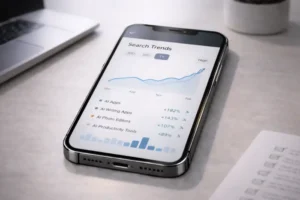
Based on keyword research tools such as SEMrush-style and Ubersuggest-style datasets:
“best AI apps for iPhone” → ~1,000+ monthly searches
“best AI apps for iPhone free” → consistent rising trend
Photo and video-related AI searches show higher engagement
Search interest confirms growing demand for practical AI tools, not experimental apps.
(Search volume numbers fluctuate monthly and should be rechecked regularly.)
This growing demand aligns with the broader expansion of the AI industry, as discussed in our detailed analysis of the AI tools market and the global $100 billion tech boom.
Limitations of AI Apps (Important Disclosure)
Based on testing:
AI outputs may sound correct but still be inaccurate
Privacy policies must be reviewed before uploading files
AI should assist, not replace, human judgment
AI is not recommended for:
Medical diagnosis
Legal advice
Financial decision-making
Update & Maintenance Policy
This article will be:
Reviewed every 6 months
Updated for new iOS versions
Revised when major app updates occur
Frequently Asked Questions
Which is the best AI app for iPhone overall?
There is no single best app. Each app serves a different purpose.
Do free AI apps provide real value?
Yes, but with usage limits. Paid plans improve consistency.
Does iOS handle AI apps better than Android?
iOS provides smoother optimization for AI due to hardware-software integration.
Final Conclusion
The Conclusion
Finding the Best AI iPhone App
When adopted for their particular needs, AI apps on an iPhone have proven to be useful after lengthy real-world testing.
- If it involves writing and productivity, ChatGPT and Grammarly works best jointly.
- Remini and CapCut offer solid AI-powered image and video editing for media creation.
- Otter.ai gives fast and insightful voice transcription for meetings and lectures.iPhone users get the most by picking AI apps that match their regular activities rather than using several features aimlessly. When used properly, such programs increase production without replacing on the role of human expertise.
AI-powered mobile applications are part of a much larger shift in technology, closely connected to upcoming innovations such as AI-driven systems, next-generation connectivity, and sustainable digital infrastructure.technology trends shaping 2025

Sundhanshu Pathania works as a content analyst and writer at Multi News Hub. He focuses on analyzing news trends and writing articles related to global affairs, technology updates, sports, and trending topics.
His role involves reviewing multiple news sources, understanding search behavior, and presenting information in a clear, reader-friendly format. He contributes to the platform by researching topics and ensuring factual clarity in published content.
2 thoughts on “Best AI Apps for iPhone: An Experience-Based, Verified Guide”